ready to shoot
from script to set.
The app for directors, cinematographers and producers: capture shots in the script, plan camera and lights, build shooting days and check them off on set. On iPhone, iPad and Mac, with the whole team.
what it is about
One place for everything that happens before the first take.
The shot list lives in a spreadsheet, the lighting plan on paper, the call sheet as a PDF in your inbox, the storyboard in a notebook. On set, someone is looking for the right version.
As a cinematographer I have been shooting feature films and commercials since the music videos of the nineties. Ready to Shoot is the tool I always wanted for that: the script is where it starts, and everything else hangs off it. A shot you mark in scene 12 then shows up in the shot list, the storyboard, the camera plan and on the shooting day.
how you work
test data, not a real project- 01
script
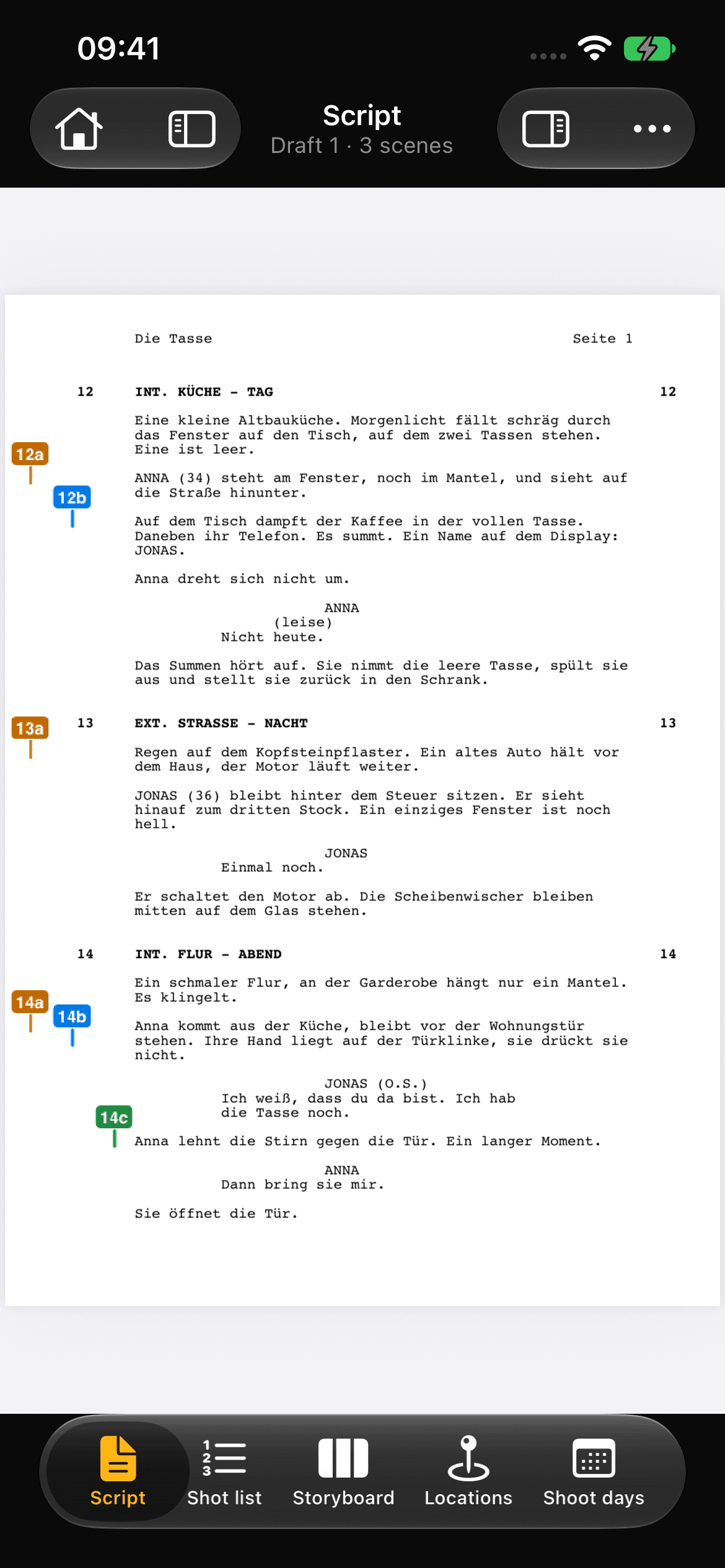
Import a PDF or Final Draft file, commercial scripts as PDF or PowerPoint. Scenes, locations and characters are recognized. The script stays on your device.
- 02
shots
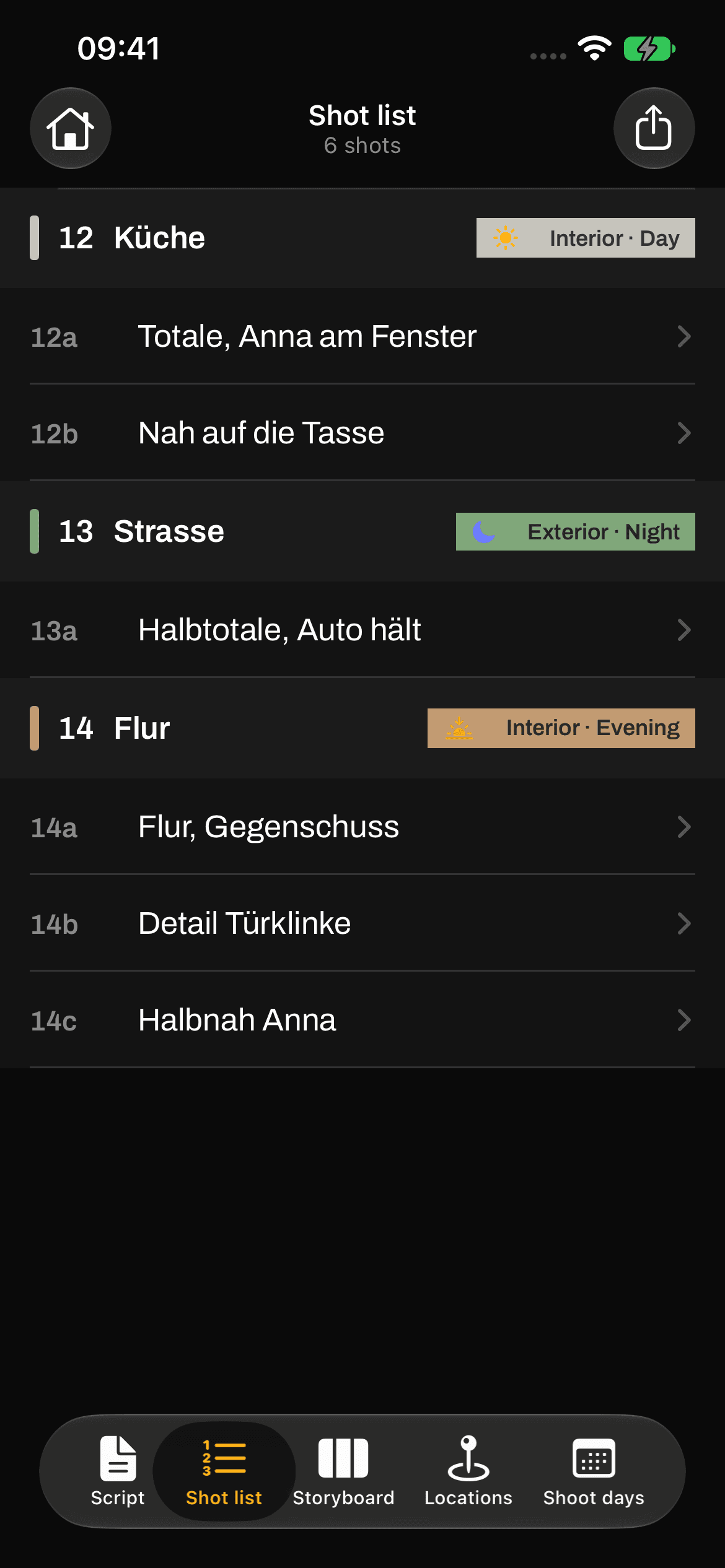
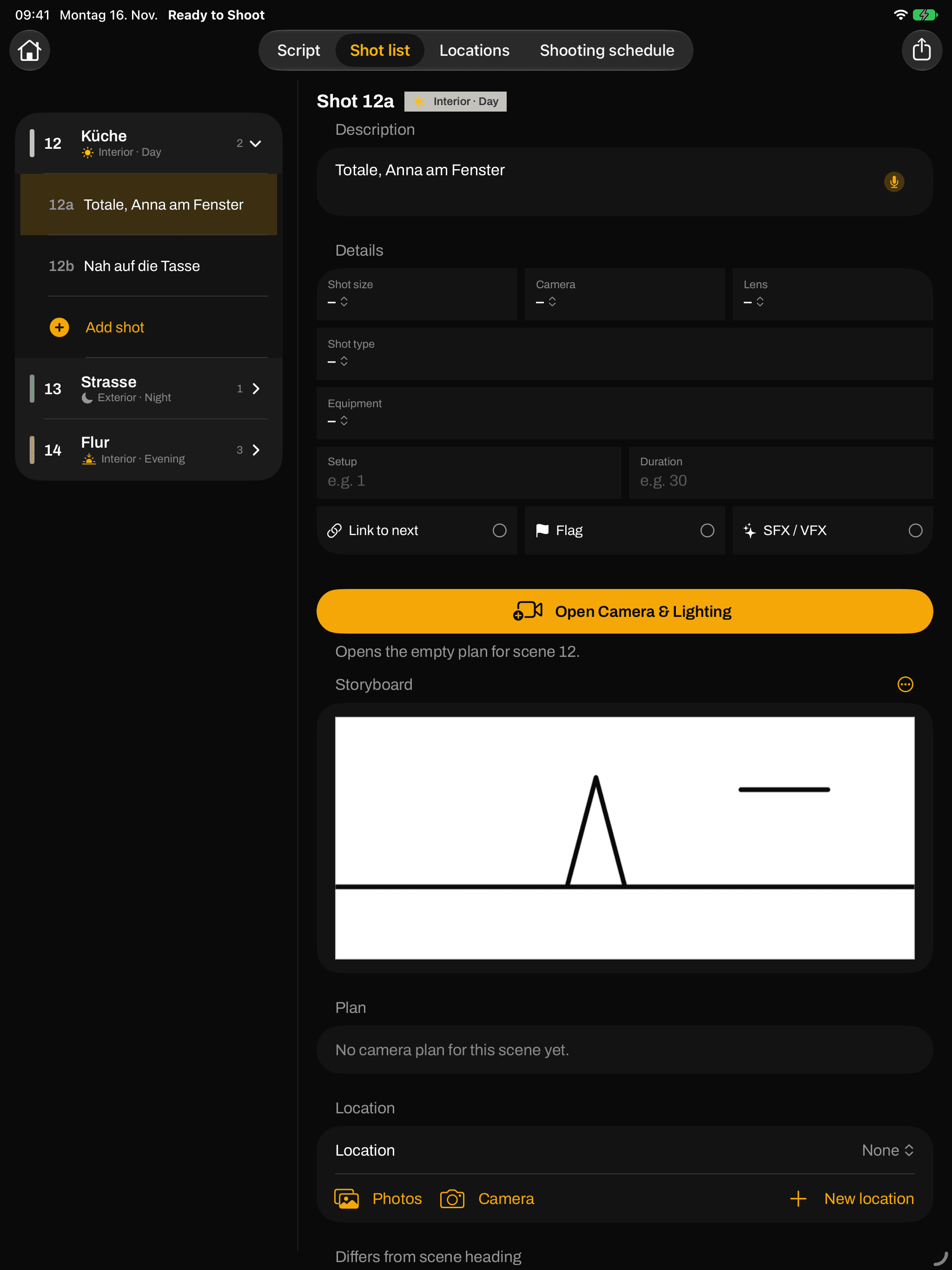
Mark a passage in the script and dictate the shots: “wide, 32 mm, dolly left”. Recognition runs on the device. That becomes the shot list per scene.
- 03
storyboard
Draw with the pencil or take a photo at the location. Every frame belongs to its shot.
- 04
camera & lighting
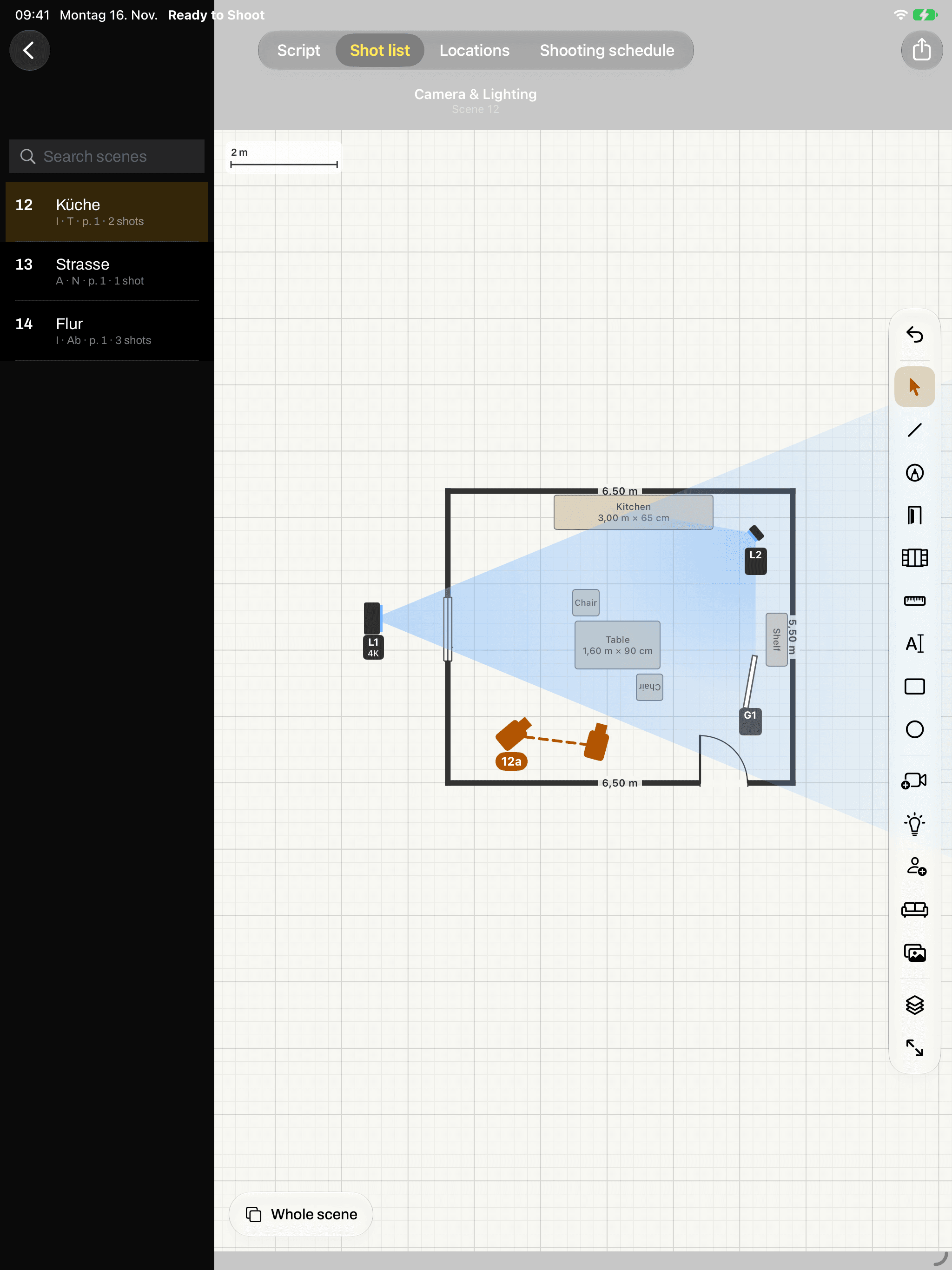
A floor plan per location with walls, doors, furniture and characters. Draw cameras, moves and lights for every shot; field of view and light beams are visible.
- 05
shooting days
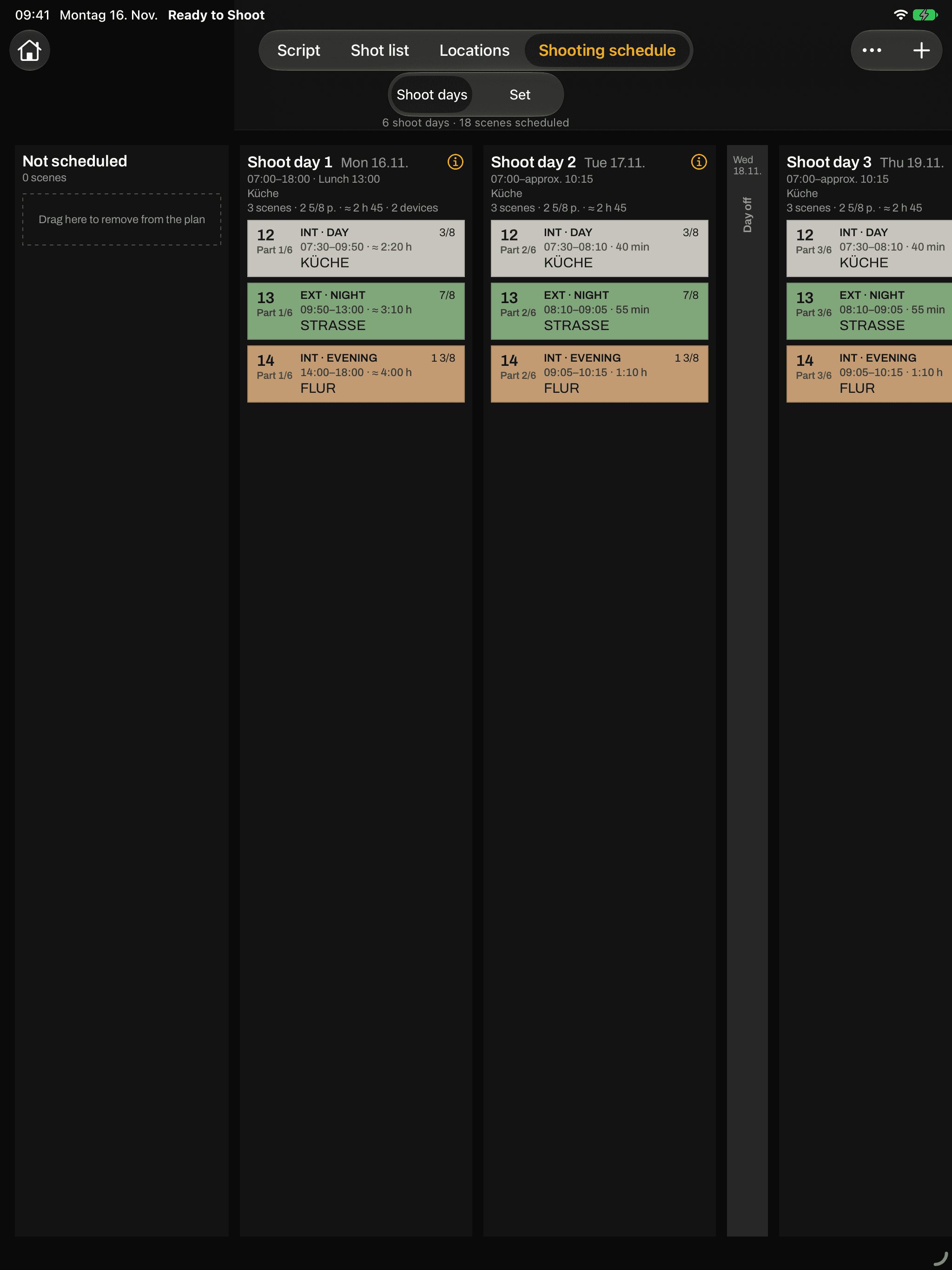
Spread scenes across shooting days, with times, lunch, sunrise and sunset. Export the day as a PDF for the AD.
- 06
on set
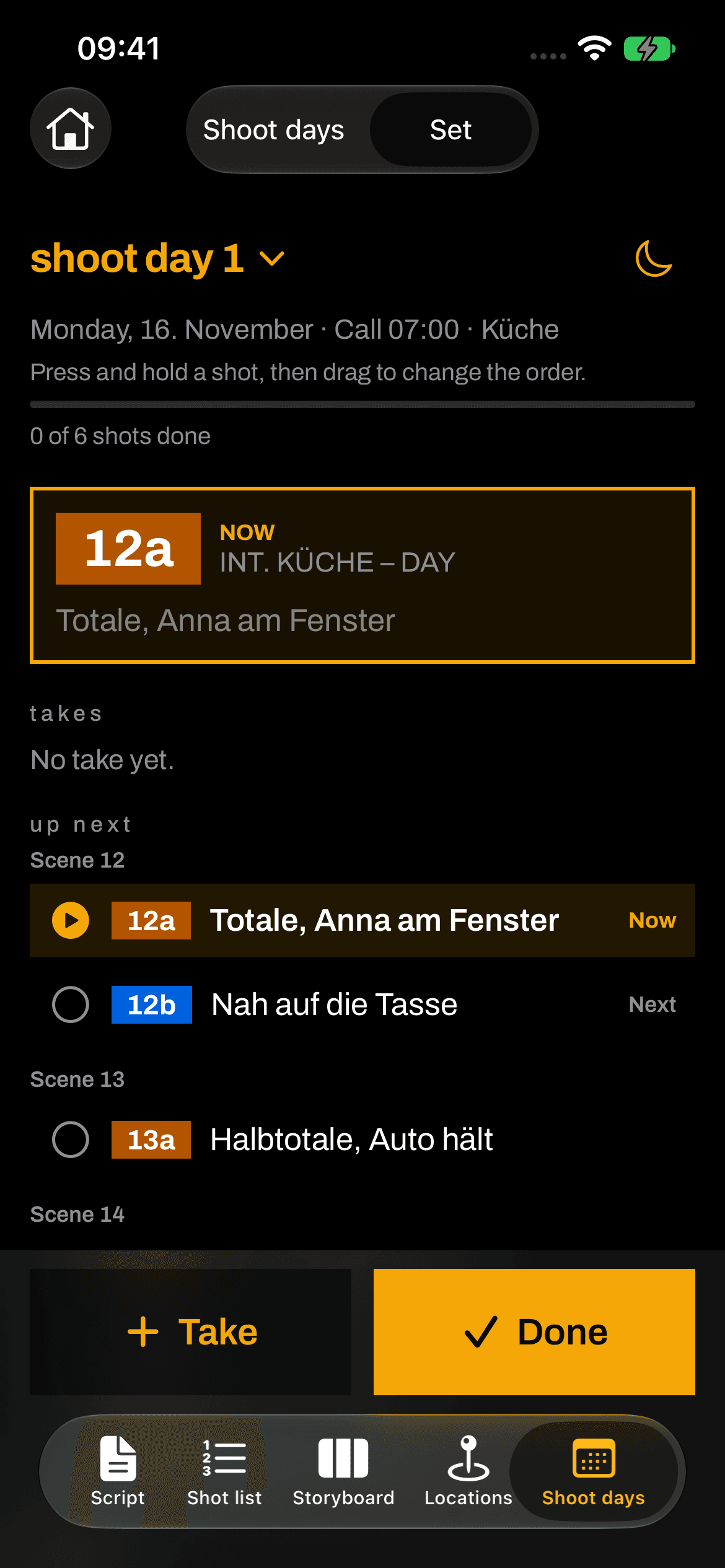
What is shooting now, what is up next, count takes, check off what is done. With a red-light mode for dark sets.
team
One subscription, the whole team.
Whoever creates the project invites the team via iCloud: director, camera, lighting, art department, production. Everyone gets a role (edit, write notes or read only) and writes notes right on the shot. Invited members don’t need their own subscription.
your data
No account, no ads, no tracking. Projects stay on your device and in your iCloud. I cannot see them.
App privacy policy →pricing
trial
€0
14 days, all features
monthly
€9.90
per month
yearly
€90
per year · save 24%
lifetime
€190
once, no subscription
Billed through your Apple Account. Monthly and yearly plans renew automatically and can be cancelled anytime. One subscription covers your whole team.
questions
support →- Which devices does Ready to Shoot run on?
- iPhone and iPad with iOS/iPadOS 26 or later and Mac with macOS 26 or later. One purchase covers all devices with the same Apple ID. Camera & lighting and the stripboard are made for iPad and Mac; on iPhone the focus is the shooting day.
- Does everyone on the team need a subscription?
- No. Whoever creates a project needs a subscription. Invited members work along without their own.
- What happens after the 14 days without a subscription?
- Your own projects stay available and readable, and you can export them. Editing and creating new projects work again as soon as you choose a plan.